Deleting Built-in Client Roles
When working with Keycloak clients, certain built-in roles are automatically created by Keycloak for specific client types. Understanding how keycloak-config-cli handles these built-in roles is important to avoid unexpected behavior during configuration imports.
Related issues: #849
The Problem
Users often encounter confusion when trying to manage client roles because: - Built-in roles are automatically created by Keycloak and cannot be deleted through standard configuration - Attempting to remove built-in roles from configuration files doesn't delete them from Keycloak - It's unclear which roles are built-in vs. custom - The behavior differs between built-in and custom roles
What Are Built-in Client Roles?
Built-in client roles are automatically created by Keycloak for certain clients, particularly:
- realm-management client: Contains roles like view-users, manage-users, view-clients, manage-clients, etc.
- account client: Contains roles like manage-account, view-profile
- broker client: Contains roles for identity brokering
These roles are restricted in keycloak-config-cli for safety reasons and are not deleted during configuration imports, although Keycloak itself does allow for their deletion directly through its Admin Console or REST API.
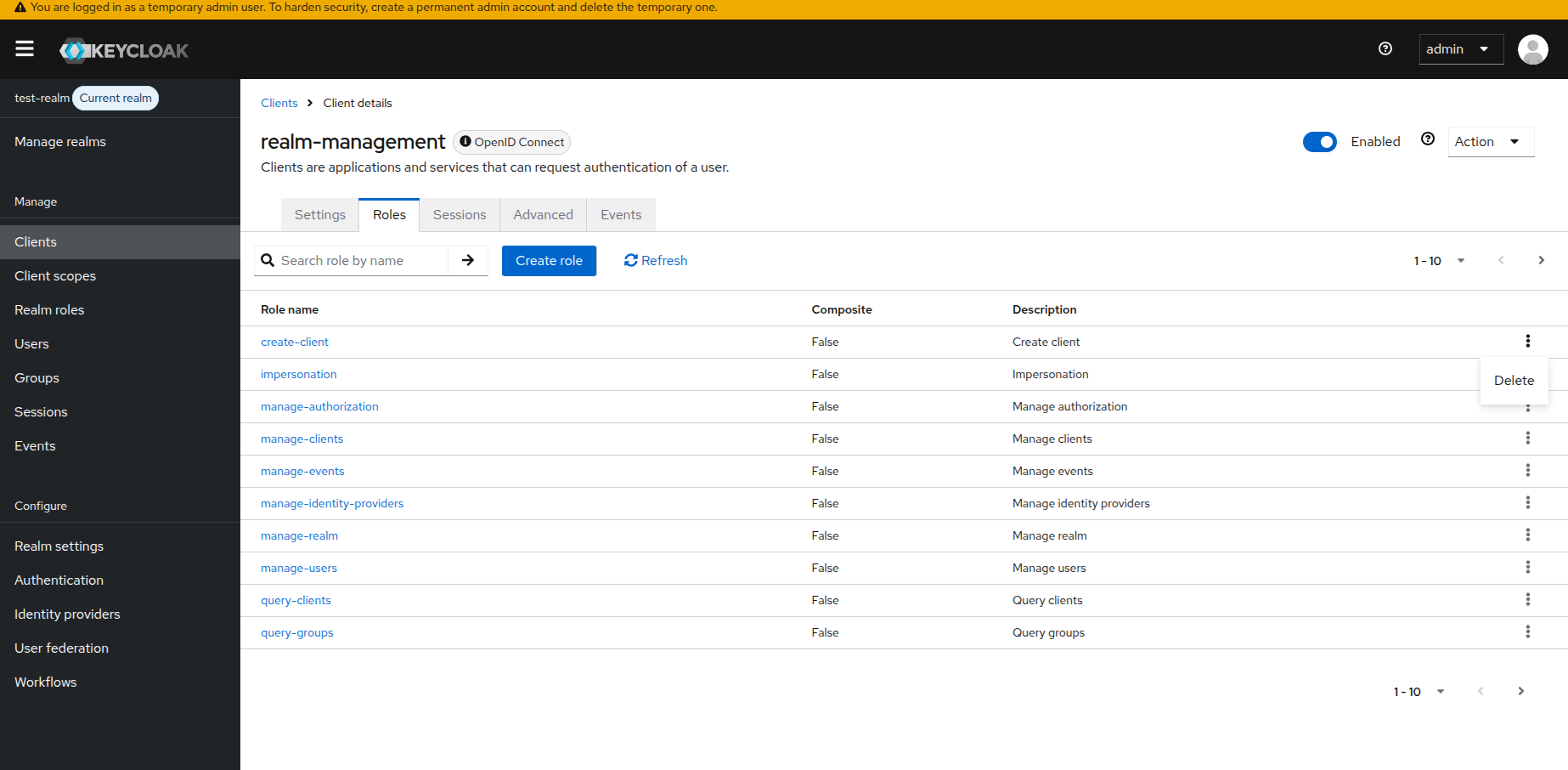
Behavior with Remote State
| Client Role Type | With import.remote-state.enabled=true |
With import.remote-state.enabled=false |
|---|---|---|
| Built-in roles | Cannot be deleted, remain in Keycloak | Can't be deleted, remain in Keycloak |
| Custom roles | Deleted if removed from config | Replaced with only roles in config |
Usage
Managing Custom Client Roles Only
Scenario: You want to manage only your custom client roles without affecting built-in roles.
realm: "test-realm"
enabled: true
clients:
  - clientId: "my-app"
    enabled: true
roles:
  client:
    my-app:
      - name: "app-admin"
        description: "Application administrator"
      - name: "app-user"
        description: "Application user"
      - name: "app-viewer"
        description: "Read-only application access"
Result: With import.remote-state.enabled=true (default), keycloak-config-cli:
- Creates/updates the three custom roles
- Ignores any built-in roles
- Only manages roles it created
Identifying Built-in Roles
Built-in roles typically have these characteristics:
- Created automatically when a client is created
- Skipped by keycloak-config-cli during configuration imports for safety
- Usually found in system clients like realm-management, account, broker
Common built-in roles in realm-management client:
- view-realm, view-users, view-clients, view-events
- manage-realm, manage-users, manage-clients, manage-events
- create-client, impersonation, query-users, query-clients
What You Cannot Do
Attempting to delete built-in roles (this will NOT work):
Result: Built-in roles remain in Keycloak unchanged. keycloak-config-cli skips deleting these system roles for safety reasons.
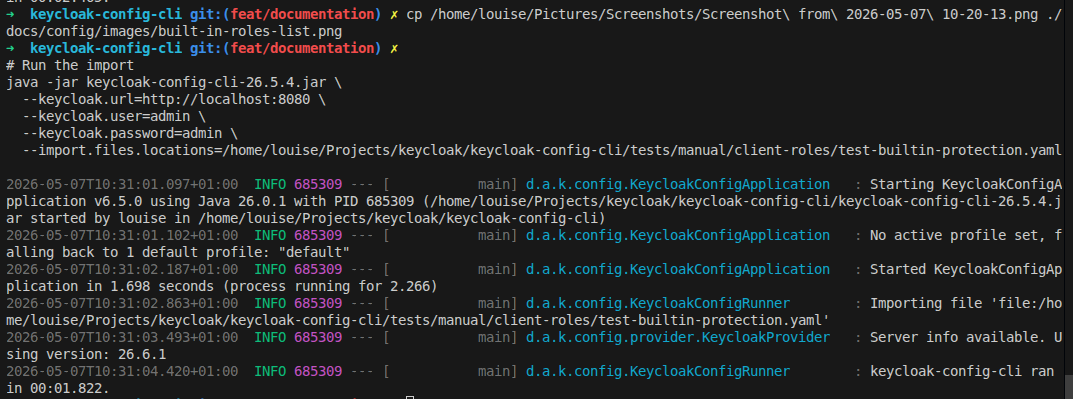
Verification in Admin Console:
After the import, if you check the realm-management client roles, you will see that they have not been deleted:
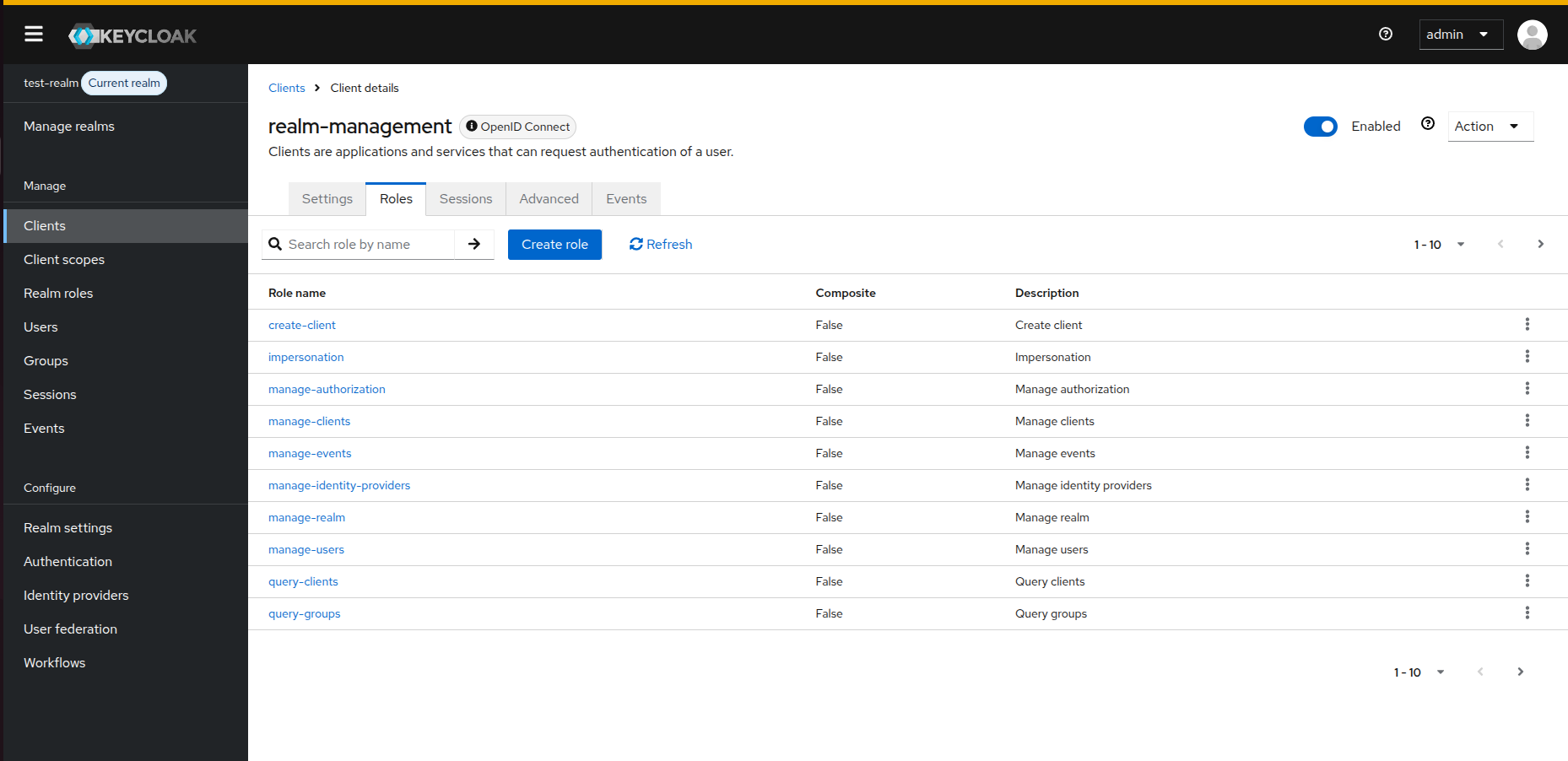
How keycloak-config-cli Handles Client Roles
With Remote State Enabled (Default)
clients:
- clientId: "my-app"
roles:
client:
my-app:
- name: "custom-role-1"
- name: "custom-role-2"
Behavior:
1. keycloak-config-cli creates/updates custom-role-1 and custom-role-2
2. Tracks these roles as "managed" by keycloak-config-cli
3. If you later remove custom-role-2 from config, it will be deleted from Keycloak
4. Any roles created manually in Keycloak UI remain untouched
5. Built-in roles are never affected
Without Remote State
Behavior: 1. keycloak-config-cli attempts to sync the roles list exactly 2. Custom roles not in the config may be removed 3. Built-in roles still will not be deleted by the CLI and remain in Keycloak
Example of Custom Role Management:
Before Deletion (both roles in config):
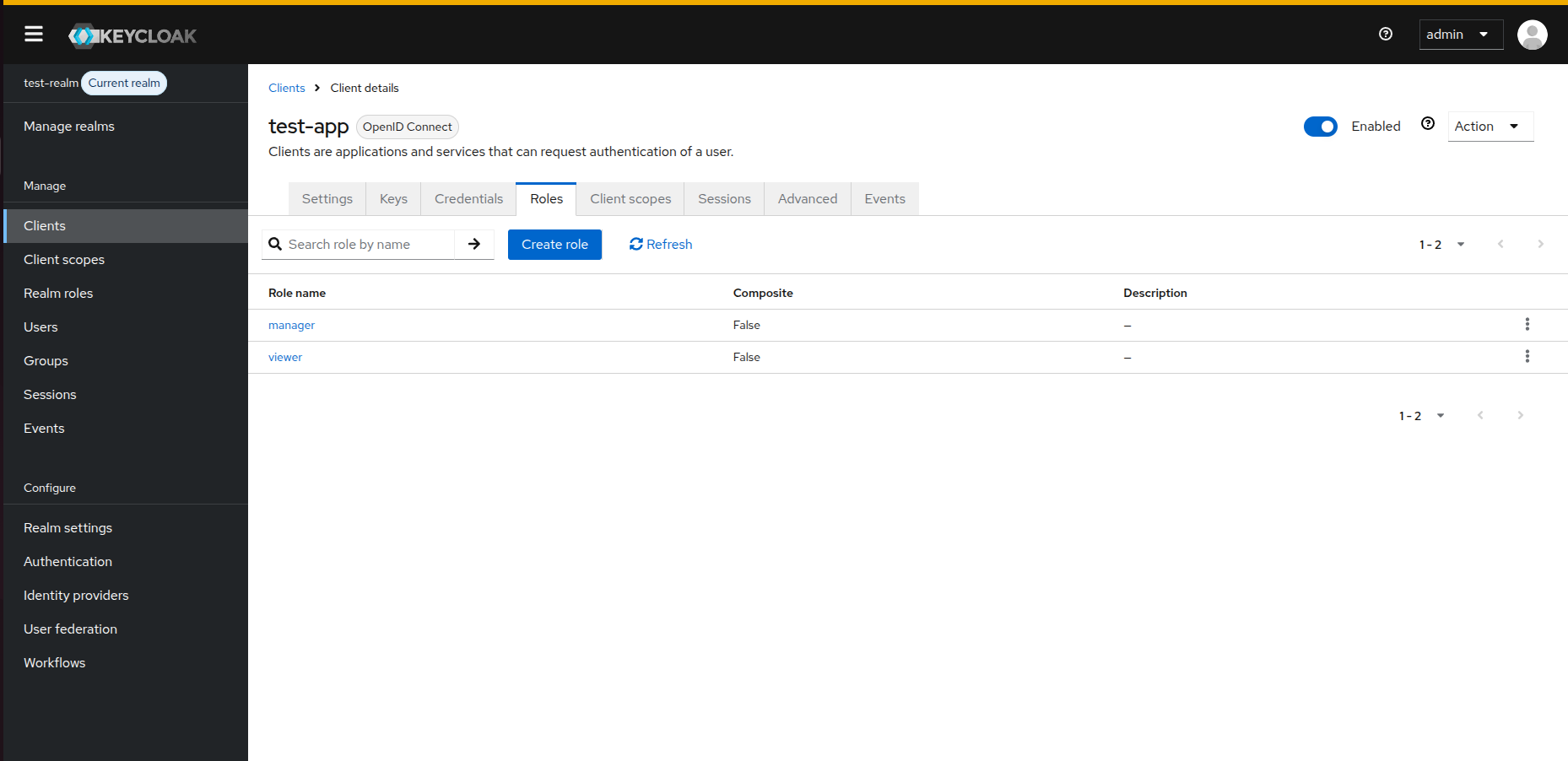
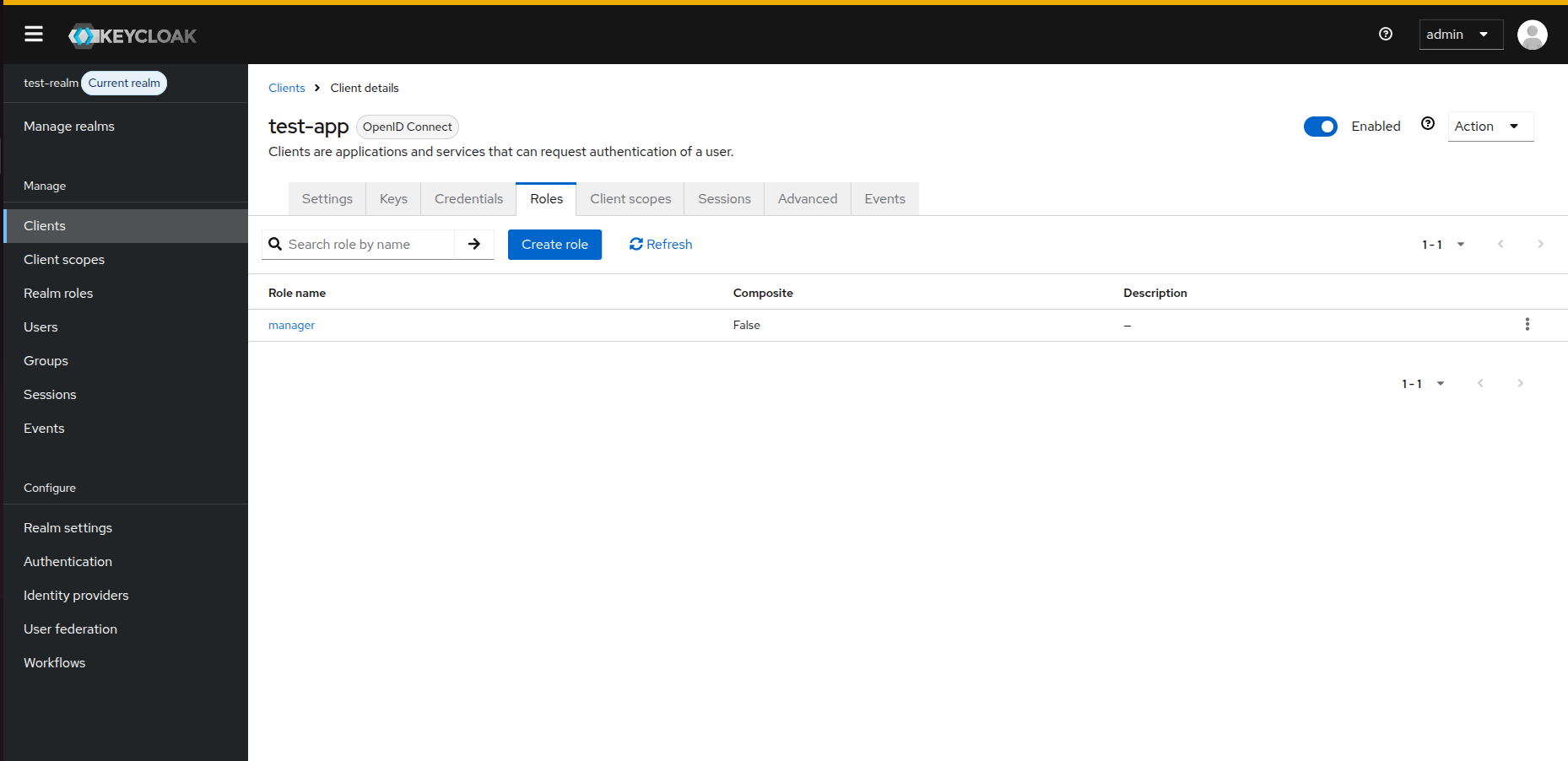
After Deletion (one role removed from config):
Common Pitfalls
1. Expecting Built-in Roles to Be Deleted
Problem:
Reality: Built-in roles like view-users, manage-realm remain because keycloak-config-cli restricts their deletion for safety reasons.
Solution: Accept that built-in roles cannot be deleted via keycloak-config-cli. If you truly need to delete them, use the Keycloak Admin Console. Only manage custom roles through keycloak-config-cli.
2. Not Distinguishing Built-in from Custom Roles
Problem: Treating all client roles the same way.
Solution:
- Document which roles are custom in your organization
- Use naming conventions for custom roles (e.g., custom-*, app-*)
- Don't attempt to manage built-in system roles
3. Exporting and Re-importing with All Roles
Problem: Exporting a realm that includes built-in roles, then trying to manage them all via config.
clients:
- clientId: "realm-management"
roles:
client:
realm-management:
- name: "view-users"
- name: "manage-users"
- name: "custom-admin"
Solution: When creating configuration files from exports, remove built-in roles from the config. Only include custom roles you want to manage.
Recommended approach:
Best Practices
- Don't Include Built-in Roles in Config: Only manage custom roles through keycloak-config-cli
- Use Naming Conventions: Prefix custom roles (e.g.,
app-,custom-) to distinguish them from built-in roles - Document Custom Roles: Maintain a list of which roles are custom to your organization
- Use Remote State: Keep
import.remote-state.enabled=trueto avoid accidentally affecting manually created roles - Separate System Clients: Avoid including system clients like
realm-managementin your configuration files unless necessary - Clean Exported Configs: When using Keycloak exports as a starting point, remove all built-in roles before using as configuration
Configuration Options
# Enable remote state (default) - only manages roles it created
--import.remote-state.enabled=true
# Validate configuration before import
--import.validate=true
Workarounds
If you need to manage permissions typically controlled by built-in roles:
Option 1: Use Role Composites
Instead of deleting built-in roles, create custom composite roles that include built-in roles:
roles:
realm:
- name: "my-admin-role"
description: "Custom admin role"
composite: true
composites:
client:
realm-management:
- "view-users"
- "manage-users"
Option 2: Use Fine-Grained Admin Permissions
For Keycloak 26.2+, use fine-grained admin permissions instead of relying on built-in roles. See Keycloak fine-grained permissions documentation.
Option 3: Manage Through Admin Console
For built-in roles and system clients, manage permissions directly through Keycloak Admin Console rather than via configuration files.
Consequences
When working with client roles in keycloak-config-cli:
- Built-in Roles Are Protected by CLI: System roles in clients like
realm-management,account, andbrokerare not deleted bykeycloak-config-clito prevent accidental system breakage, though they can be removed manually via the Keycloak Admin Console if needed - Custom Roles Are Manageable: Roles you create can be fully managed (created, updated, deleted) through configuration files
- Remote State Recommended: Using remote state tracking prevents accidental deletion of manually created roles
- Export Cleanup Required: Keycloak exports include built-in roles which should be removed before using as configuration source
Test Scenarios for Verification
To verify the behavior described above, you can use the following configuration files.
1. Verification of Built-in Protection
Use this file to attempt to clear roles from the realm-management client. The CLI should complete without deleting any roles.
realm: "test-realm"
enabled: true
clients:
  - clientId: "realm-management"
roles:
  client:
    realm-management: []
2. Custom Role Management (Initialization)
Use this file to create custom roles in a new client.
realm: "test-realm"
enabled: true
clients:
  - clientId: "test-app"
    enabled: true
roles:
  client:
    test-app:
      - name: "manager"
      - name: "viewer"
3. Custom Role Management (Deletion)
Update the previous configuration by removing the viewer role. The CLI should delete only the viewer role, leaving manager and any built-in roles untouched.
realm: "test-realm"
enabled: true
clients:
  - clientId: "test-app"
    enabled: true
roles:
  client:
    test-app:
      - name: "manager"