User Roles and Groups Merge Behavior
By default, keycloak-config-cli replaces user roles and groups entirely when updating users. However, with the merge configuration option, you can add new roles and groups without removing existing ones. Understanding the merge behavior is essential for managing user permissions incrementally across multiple configuration imports.
Related issues: #1293
The Problem
Users encounter unexpected role and group removals when updating user configurations because: - Default behavior replaces roles and groups completely - Partial updates remove existing roles and groups - Multiple teams managing different aspects of user permissions face conflicts - It's unclear whether updates are additive or replace existing data - No way to add roles/groups without specifying all existing ones - Different import files can overwrite each other's changes - Incremental permission grants are difficult to manage
Understanding Default vs. Merge Behavior
Default Behavior (Replace)
When updating a user without merge:
Result: All existing roles are removed, only "admin" remains.
Merge Behavior (Additive)
With merge enabled:
java -jar keycloak-config-cli.jar \
  --import.users.merge-roles=true \
  --import.users.merge-groups=true \
  --import.files.locations=config.json
Result: "admin" role is added, existing roles are preserved.
Configuration Options
Enable Role Merging
Enable Group Merging
Enable Both
Complete Example: Incremental Role and Group Assignment
Step 1: Initial User Creation
File: 00_create_realm_with_user_roles_groups.json
{
"enabled": true,
"realm": "realmWithUsersMerge",
"roles": {
"realm": [
{
"name": "user",
"description": "User role",
"composite": false,
"clientRole": false
},
{
"name": "admin",
"description": "Admin role",
"composite": false,
"clientRole": false
}
]
},
"groups": [
{
"name": "employees"
},
{
"name": "developers"
}
],
"users": [
{
"username": "alice",
"email": "alice@mail.de",
"enabled": true,
"firstName": "Alice",
"lastName": "Example",
"realmRoles": [
"user"
],
"groups": [
"employees"
]
}
]
}
Import:
java -jar keycloak-config-cli.jar \
--keycloak.url=http://localhost:8080 \
--keycloak.user=admin \
--keycloak.password=admin \
--import.files.locations=00_create_realm_with_user_roles_groups.json
Result: - User "alice" created - Role: "user" - Group: "employees"

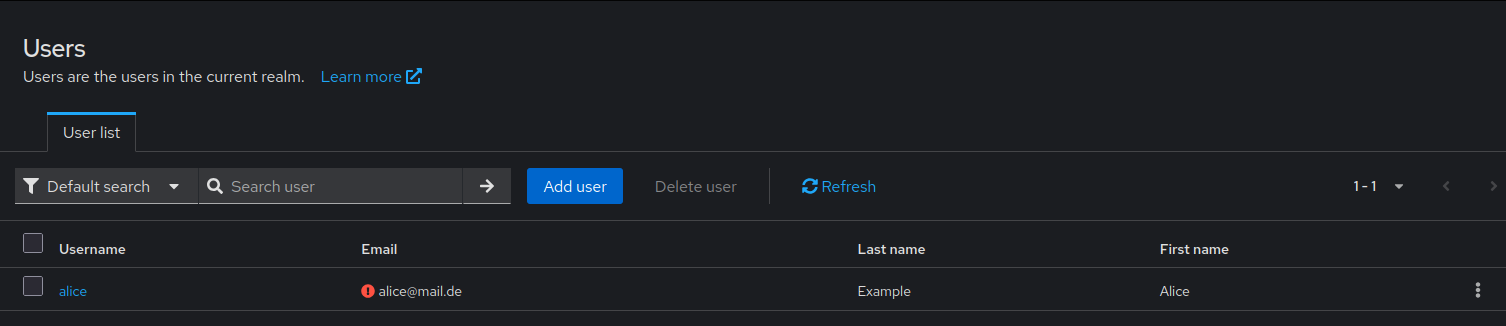
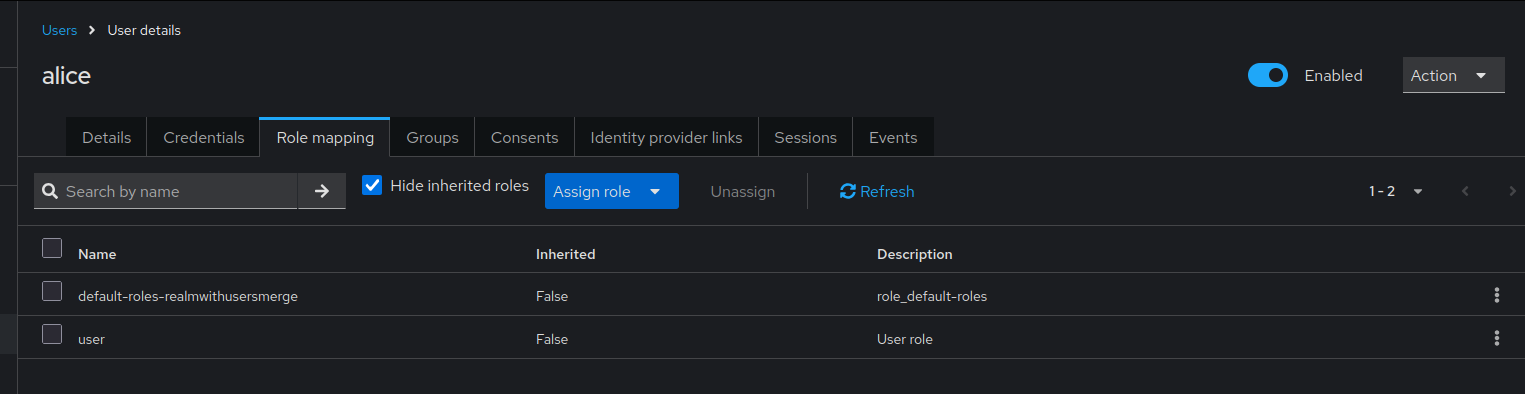
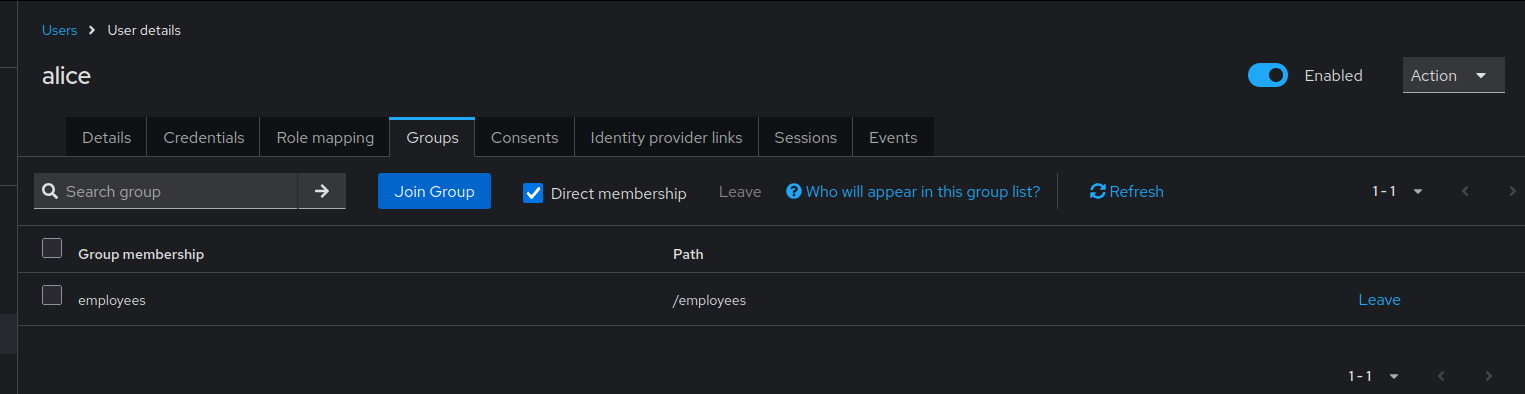
User alice initially created with "user" role and "employees" group membership.
Step 2: Add Additional Roles and Groups (Without Merge)
File: 01_update_realm_merge_user_roles_groups.json
{
"enabled": true,
"realm": "realmWithUsersMerge",
"roles": {
"realm": [
{
"name": "user",
"description": "User role",
"composite": false,
"clientRole": false
},
{
"name": "admin",
"description": "Admin role",
"composite": false,
"clientRole": false
}
]
},
"groups": [
{
"name": "employees"
},
{
"name": "developers"
}
],
"users": [
{
"username": "alice",
"email": "alice@mail.de",
"enabled": true,
"firstName": "Alice",
"lastName": "Example",
"realmRoles": [
"admin"
],
"groups": [
"developers"
]
}
]
}
Import WITHOUT merge:
java -jar keycloak-config-cli.jar \
--keycloak.url=http://localhost:8080 \
--keycloak.user=admin \
--keycloak.password=admin \
--import.files.locations=01_update_realm_merge_user_roles_groups.json
Result (Replace behavior): - Role "user" removed, only "admin" remains - Group "employees" removed, only "developers" remains
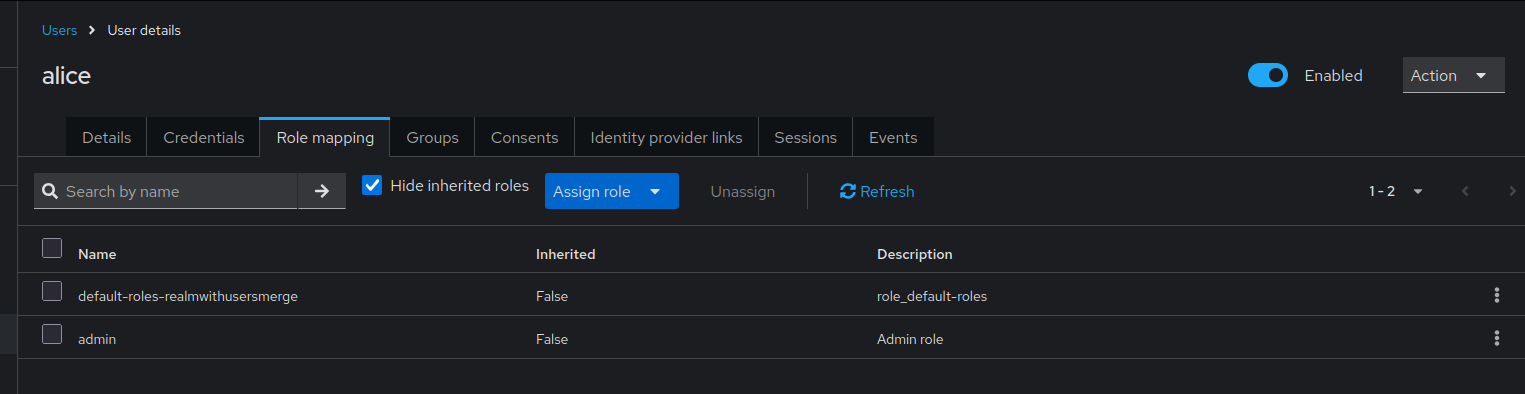
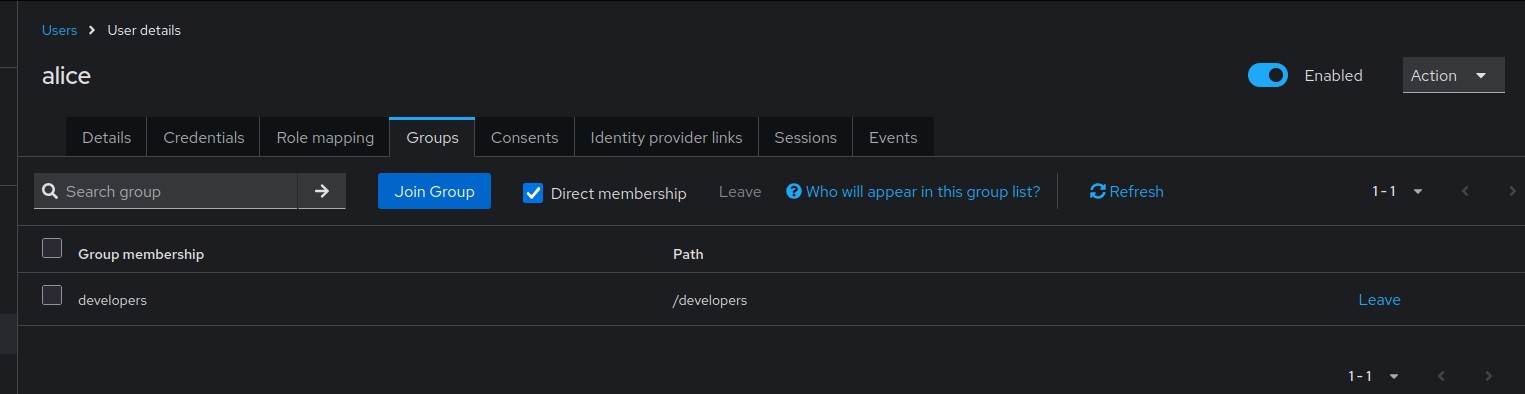
Without merge behavior: alice now has only "admin" role and "developers" group. Previous "user" role and "employees" group were removed.
Step 3: Add Additional Roles and Groups (WITH Merge)
Re-import initial state first:
java -jar keycloak-config-cli.jar \
--keycloak.url=http://localhost:8080 \
--keycloak.user=admin \
--keycloak.password=admin \
--import.files.locations=00_create_realm_with_user_roles_groups.json
Then import WITH merge:
java -jar keycloak-config-cli.jar \
--keycloak.url=http://localhost:8080 \
--keycloak.user=admin \
--keycloak.password=admin \
--import.users.merge-roles=true \
--import.users.merge-groups=true \
--import.files.locations=01_update_realm_merge_user_roles_groups.json
Result (Merge behavior): - Roles: "user" + "admin" (both present) - Groups: "employees" + "developers" (both present)

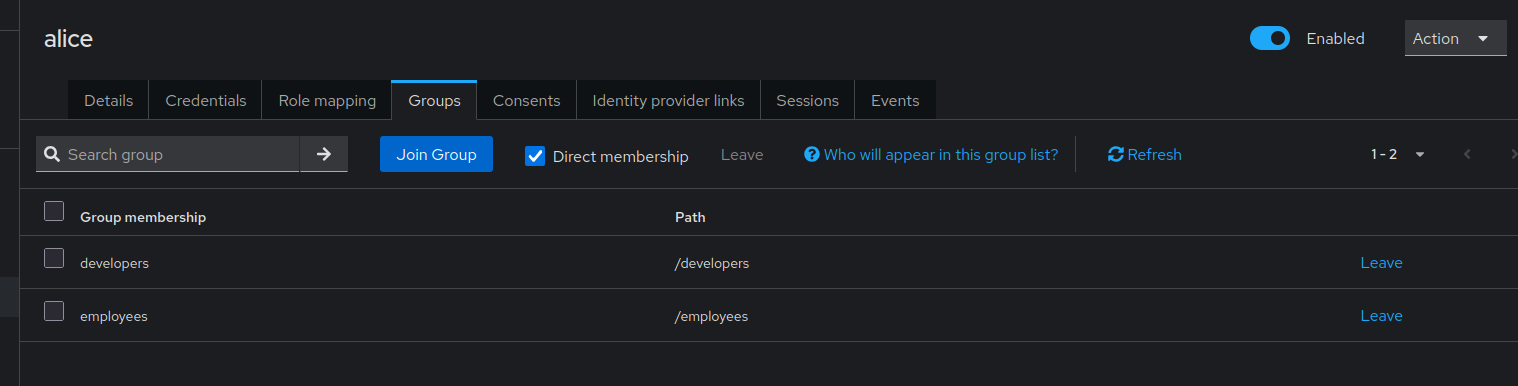
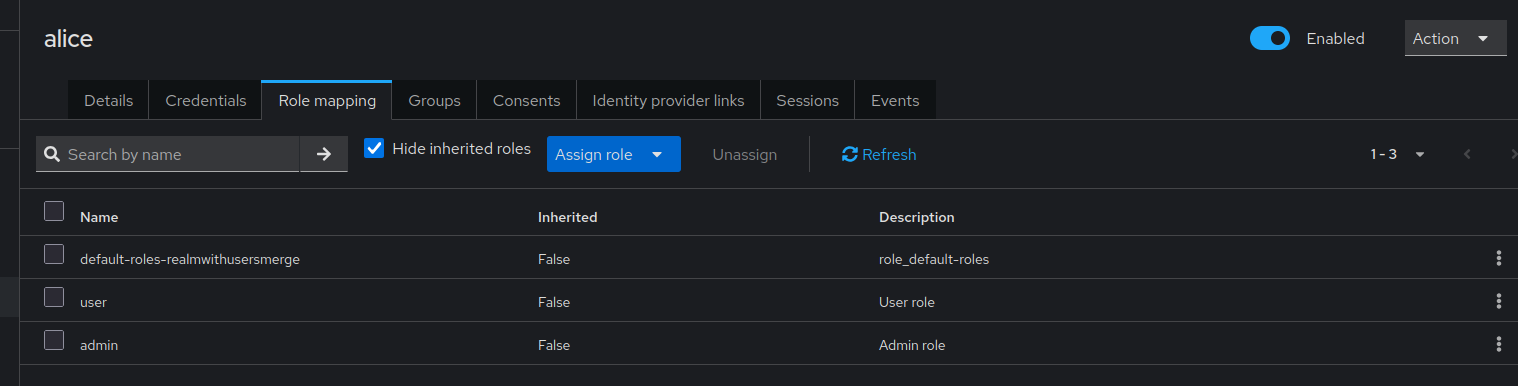
With merge behavior enabled: alice now has both "user" and "admin" roles, and memberships in both "employees" and "developers" groups.
Use Cases
Use Case 1: Incremental Permission Grants
Scenario: Different teams manage different aspects of user permissions.
Team A (HR) - Assigns base roles:
Team B (Engineering) - Adds technical roles:
With merge enabled:
Result: User has all roles and groups from both teams.
Use Case 2: Progressive Access Grant
Scenario: User starts with basic access, gains more over time.
Day 1 - Onboarding:
Week 1 - Training Complete:
{
"users": [
{
"username": "new.employee",
"realmRoles": ["contributor"],
"groups": ["team-alpha"]
}
]
}
Month 1 - Full Access:
{
"users": [
{
"username": "new.employee",
"realmRoles": ["senior-contributor"],
"groups": ["project-leads"]
}
]
}
With merge: User accumulates all roles and groups through onboarding process.
Use Case 3: Environment-Specific Roles
Scenario: Same user, different environments with additional roles.
Base configuration:
Dev environment add-on:
{
"users": [
{
"username": "devops.user",
"realmRoles": ["dev-admin"],
"groups": ["dev-environment"]
}
]
}
Staging environment add-on:
{
"users": [
{
"username": "devops.user",
"realmRoles": ["staging-admin"],
"groups": ["staging-environment"]
}
]
}
Comparison: Default vs. Merge Behavior
| Scenario | Default (Replace) | Merge Enabled |
|---|---|---|
Initial: ["user"] |
["user"] |
["user"] |
Update with ["admin"] |
["admin"] |
["user", "admin"] |
Update with ["manager"] |
["manager"] |
["user", "admin", "manager"] |
Update with [] |
[] (all removed) |
No change (empty ignored) |
Configuration Examples
Example 1: Multi-Team User Management
#!/bin/bash
# Base user configuration (HR team)
java -jar keycloak-config-cli.jar \
--import.users.merge-roles=true \
--import.users.merge-groups=true \
--import.files.locations=config/01-hr-base-users.json
# Engineering roles (Engineering team)
java -jar keycloak-config-cli.jar \
--import.users.merge-roles=true \
--import.users.merge-groups=true \
--import.files.locations=config/02-engineering-roles.json
# Project-specific access (Project managers)
java -jar keycloak-config-cli.jar \
--import.users.merge-roles=true \
--import.users.merge-groups=true \
--import.files.locations=config/03-project-access.json
Example 2: Progressive Onboarding
config/onboarding-day1.json:
{
  "realm": "corporate",
  "users": [
    {
      "username": "john.new",
      "email": "john.new@company.com",
      "enabled": true,
      "realmRoles": ["user"],
      "groups": ["onboarding", "all-employees"]
    }
  ]
}
config/onboarding-week1.json:
{
  "realm": "corporate",
  "users": [
    {
      "username": "john.new",
      "realmRoles": ["contributor"],
      "groups": ["engineering-team"]
    }
  ]
}
config/onboarding-month1.json:
{
  "realm": "corporate",
  "users": [
    {
      "username": "john.new",
      "realmRoles": ["developer", "code-reviewer"],
      "groups": ["project-alpha", "senior-developers"]
    }
  ]
}
Import workflow:
# Day 1
java -jar keycloak-config-cli.jar \
  --import.users.merge-roles=true \
  --import.users.merge-groups=true \
  --import.files.locations=config/onboarding-day1.json

# Week 1
java -jar keycloak-config-cli.jar \
  --import.users.merge-roles=true \
  --import.users.merge-groups=true \
  --import.files.locations=config/onboarding-week1.json

# Month 1
java -jar keycloak-config-cli.jar \
  --import.users.merge-roles=true \
  --import.users.merge-groups=true \
  --import.files.locations=config/onboarding-month1.json
Final result:
- Roles: ["user", "contributor", "developer", "code-reviewer"]
- Groups: ["onboarding", "all-employees", "engineering-team", "project-alpha", "senior-developers"]
Example 3: Client Roles with Merge
Note: Client roles must be created through the Keycloak admin console or separate role definitions before they can be assigned to users.
Initial client role assignment:
{
  "realm": "application",
  "users": [
    {
      "username": "app.user",
      "email": "user@app.com",
      "enabled": true,
      "clientRoles": {
        "app-backend": ["read"]
      }
    }
  ]
}
Later, add write access:
Import with merge:
java -jar keycloak-config-cli.jar \
  --import.users.merge-client-roles=true \
  --import.files.locations=add-write-access.json
Result: User has both "read" and "write" client roles.
Common Pitfalls
1. Forgetting to Enable Merge
Problem:
# Merge flags not set
java -jar keycloak-config-cli.jar \
  --import.files.locations=update-roles.json
Result: Roles and groups replaced instead of merged.
Solution:
java -jar keycloak-config-cli.jar \
  --import.users.merge-roles=true \
  --import.users.merge-groups=true \
  --import.files.locations=update-roles.json
2. Inconsistent Merge Settings
Problem: Merge enabled for roles but not groups:
Result: Roles are merged, but groups are replaced.
Solution: Enable both consistently:
3. Empty Arrays Remove All
Problem:
With merge enabled: Behavior may vary based on version.
Solution: Omit the fields entirely if you don't want to change them:
4. Conflicting Configuration Sources
Problem: Multiple configuration files managing same users without merge.
Team A's config:
Team B's config:
Without merge: Last import wins, other roles lost.
Solution: Use merge or consolidate configurations.
5. Not Understanding Merge is Additive Only
Misconception: Merge can remove roles/groups.
Reality: Merge only adds, never removes.
To remove: Must explicitly set the complete desired list without merge, or remove manually.
Best Practices
-
Use Merge for Incremental Updates
-
Document Merge Strategy
Clearly document which configurations use merge and why.
-
Separate Base from Incremental
-
Use Consistent Import Order
-
Test Merge Behavior
Always test in development before applying to production.
-
Version Control Configuration
-
Audit Role and Group Assignments
Regularly review accumulated roles and groups to ensure they're still needed.
- Use Remote State for Tracking
Troubleshooting
Roles Not Merging as Expected
Symptom: Roles replaced instead of merged
Diagnosis:
Check if merge flag is set:
Solution: Ensure merge flag is enabled:
Groups Not Merging
Symptom: Groups replaced instead of merged
Solution: Enable group merge:
Unexpected Role Accumulation
Symptom: User has too many roles
Cause: Multiple imports with merge have accumulated roles over time
Solution: Do a full import without merge to reset:
{
"users": [
{
"username": "alice",
"realmRoles": ["user", "developer"],
"groups": ["engineering"]
}
]
}
# Import without merge to replace
java -jar keycloak-config-cli.jar \
--import.files.locations=reset-user-roles.json
Client Roles Not Merging
Symptom: Client roles replaced
Solution: Use client role merge flag:
Configuration Options
# Merge realm roles
--import.users.merge-roles=true
# Merge groups
--import.users.merge-groups=true
# Merge client roles
--import.users.merge-client-roles=true
# Enable all merging
--import.users.merge-roles=true \
--import.users.merge-groups=true \
--import.users.merge-client-roles=true
# Combine with other behaviors
--import.users.merge-roles=true \
--import.remote-state.enabled=true \
--import.validate=true
Consequences
When using merge behavior:
- Additive Only: Merge only adds, never removes roles or groups
- Accumulation: Roles and groups accumulate over multiple imports
- Manual Cleanup: To remove roles/groups, must import without merge or remove manually
- Team Collaboration: Multiple teams can manage different aspects of user permissions
- Import Order Matters: Order of imports determines final state
- Testing Required: Thoroughly test merge behavior before production use
- Audit Needed: Regularly audit accumulated permissions
Related Issues
- #1293 - Add the ability to merge users realmRoles and groups
- #1132 - User update without groups deletes previously set groups
- #1237 - Working with Arrays