Environment Variables
Environment variables are essential for creating dynamic, environment-specific configurations with keycloak-config-cli.
Keycloak Configuration Variables
Connection Settings
Keycloak server URL
Authentication credentials
Realm to manage
SSL/TLS Configuration
SSL verification
export KEYCLOAK_TRUSTSTORE=/path/to/truststore.jks
export KEYCLOAK_TRUSTSTORE_PASSWORD=changeit
export KEYCLOAK_SSL_SKIP_VERIFICATION=true
Managing Environment Variables
Using .env Files
Create environment-specific .env files:
# .env
KEYCLOAK_URL=https://<your-keycloak-url>
KEYCLOAK_USER=<admin-username>
KEYCLOAK_PASSWORD=<admin-password>
KEYCLOAK_REALM=<realm-name>
Load environment variables:
Using source
Using export
Step-by-Step: Realm Import via JAR + Env Vars
This example shows how to use environment variables inside a realm JSON file and import it using the JAR.
Step 1: Create an .env file
Create a file named .env:
Load it (pick one):
or:
Step 2: Create a realm JSON using $(env:...)
Create realm-env.json:
Step 3: Run keycloak-config-cli (JAR)
Run the import with variable substitution enabled:
java -jar ./target/keycloak-config-cli.jar \
  --keycloak.url="https://<your-keycloak-url>" \
  --keycloak.user="<admin-username>" \
  --keycloak.password="<admin-password>" \
  --import.var-substitution.enabled=true \
  --import.files.locations=realm-env.json
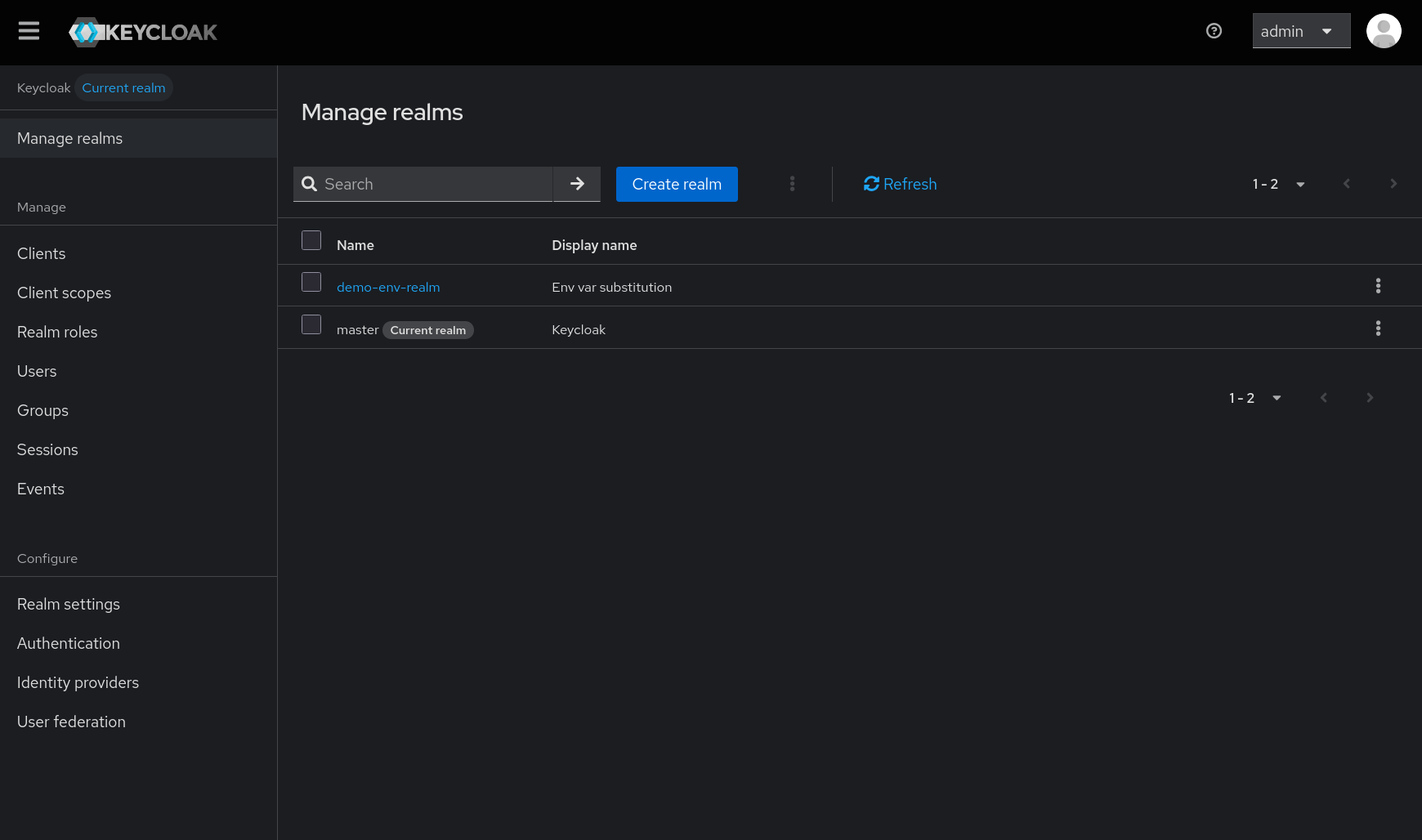
Step 4: Verify
Verify in the Keycloak Admin Console:
- Realm name should be the value of
REALM_NAME. - Display name should be the value of
REALM_DISPLAY_NAME.
Best Practices
- Use Descriptive Names: Clear, meaningful variable names
- Group by Environment: Separate
.envfiles per environment - Document Variables: Maintain documentation of required variables
- Validate Early: Check required variables before running
- Secure Secrets: Use proper secret management
- Version Control: Exclude sensitive files from git
Next Steps
- JavaScript Substitution - Advanced substitution techniques
- Configuration - General configuration options
- Docker & Helm - Container deployment