Client Profiles and Client Policies Behavior
When working with client profiles and client policies in keycloak-config-cli, it's important to understand how they behave during multi-file imports. This documentation explains the current behavior and how to avoid unintended erasure of client policies.
Related issues: #1357
The Problem
Users encountered unexpected behavior where client profiles and client policies were erased when importing configuration files that didn't contain these sections, even when the files were unrelated to client policies.
Scenario:
1. Import a configuration file with clientProfiles and clientPolicies sections
2. Import another configuration file (even an empty JSON)
3. Result: Client profiles and policies are erased
Current Behavior
Before Fix (v6.3.0 and earlier)
- Any import without
clientProfiles/clientPoliciessections would erase existing configurations - This occurred even with unrelated configuration files
- Splitting realm configuration across multiple files was risky
After Fix (v6.5.1+)
- Client profiles and policies are preserved when not explicitly defined in import
- Only explicit empty arrays (
[]) will remove configurations - Safe to split realm configuration across multiple files
Configuration Examples
Creating Client Profiles and Policies
Step 1: Create initial configuration file
{
  "enabled": true,
  "realm": "test-client-policies",
  "clientProfiles": {
    "profiles": [
      {
        "name": "secure-client-profile",
        "description": "Security-focused client profile",
        "executors": [
          {
            "executor": "secure-session",
            "configuration": {
              "clientSessionIdleTimeout": 7200,
              "clientOfflineSessionIdleTimeout": 172800
            }
          }
        ]
      }
    ]
  },
  "clientPolicies": {
    "policies": [
      {
        "name": "confidential-clients-policy",
        "description": "Policy for confidential clients",
        "enabled": true,
        "conditions": [
          {
            "condition": "client-access-type",
            "configuration": {
              "is-negative-logic": false,
              "type": ["confidential"]
            }
          }
        ],
        "profiles": ["secure-client-profile"]
      }
    ]
  }
}
Step 2: Import the configuration
java -jar keycloak-config-cli.jar \
  --keycloak.url=http://192.168.2.15:30080 \
  --keycloak.user=admin \
  --keycloak.password=admin123 \
  --import.files.locations=test-client-policies-01-initial.json
Step 3: Verify in Keycloak admin console
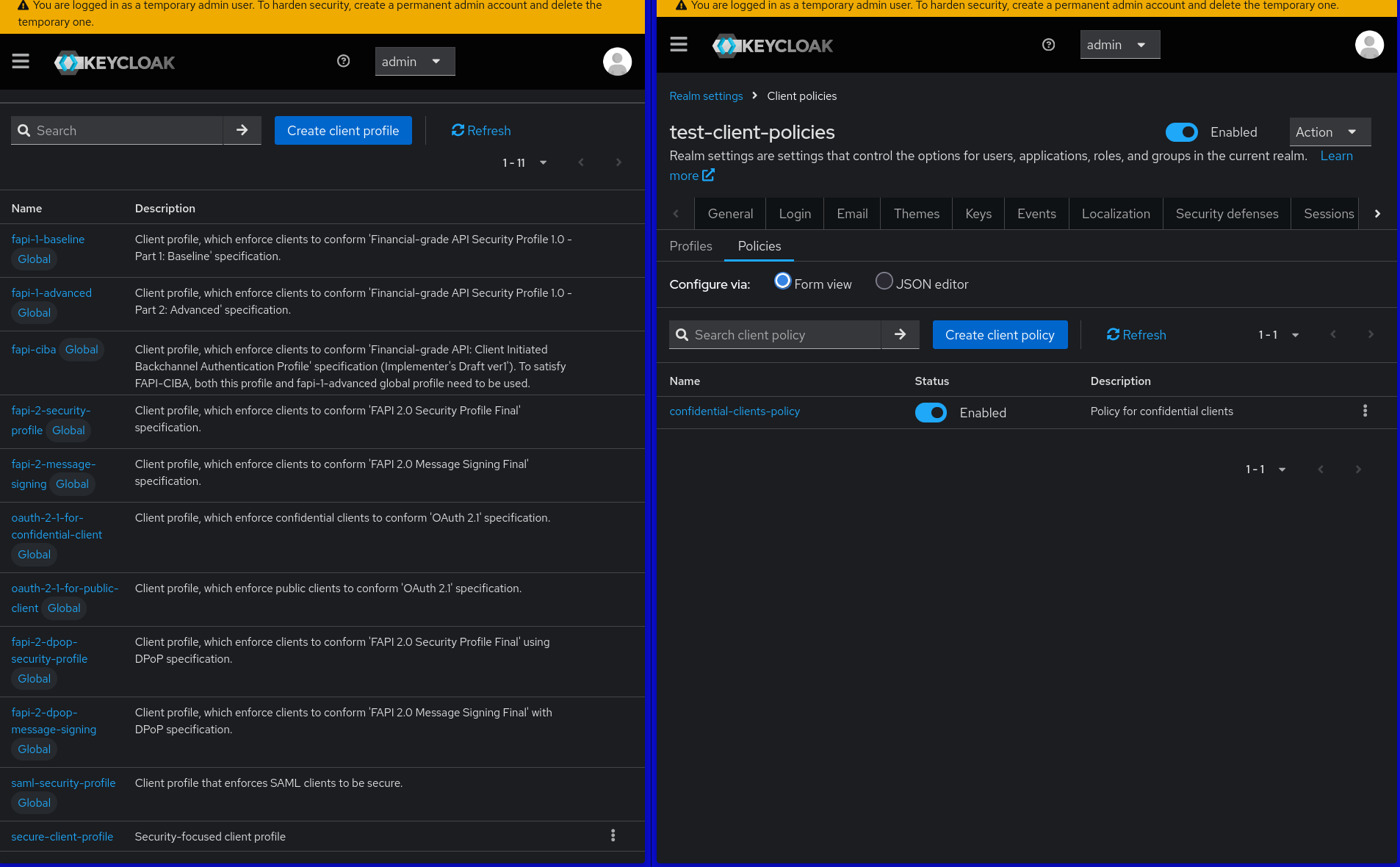
Client profiles and policies configured in Keycloak admin console
Importing Additional Configuration (Safe)
Step 1: Create additional configuration file
{
  "enabled": true,
  "realm": "test-client-policies",
  "clients": [
    {
      "clientId": "my-app",
      "enabled": true,
      "redirectUris": ["http://localhost:8080/*"]
    }
  ]
}
Step 2: Import additional configuration
java -jar keycloak-config-cli.jar \
  --keycloak.url=http://192.168.2.15:30080 \
  --keycloak.user=admin \
  --keycloak.password=admin123 \
  --import.files.locations=test-client-policies-02-additional.json
Step 3: Verify client policies are preserved
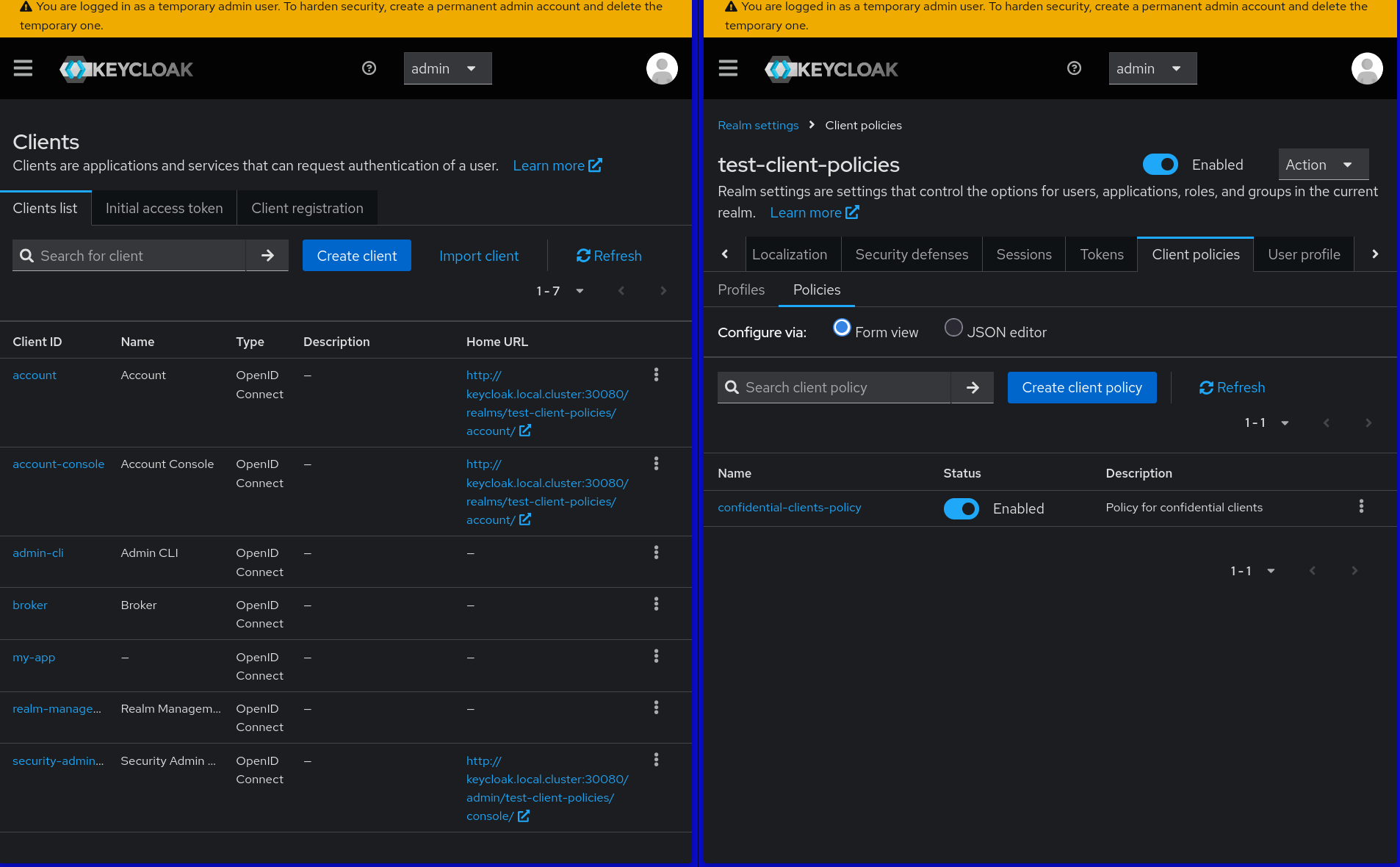
Client profiles and policies remain intact after importing additional configuration
Removing Client Profiles and Policies
Step 1: Create removal configuration file
{
  "enabled": true,
  "realm": "test-client-policies",
  "clientProfiles": {
    "profiles": []
  },
  "clientPolicies": {
    "policies": []
  }
}
Step 2: Import removal configuration
java -jar keycloak-config-cli.jar \
  --keycloak.url=http://192.168.2.15:30080 \
  --keycloak.user=admin \
  --keycloak.password=admin123 \
  --import.files.locations=test-client-policies-03-remove.json
Step 3: Verify client policies are removed
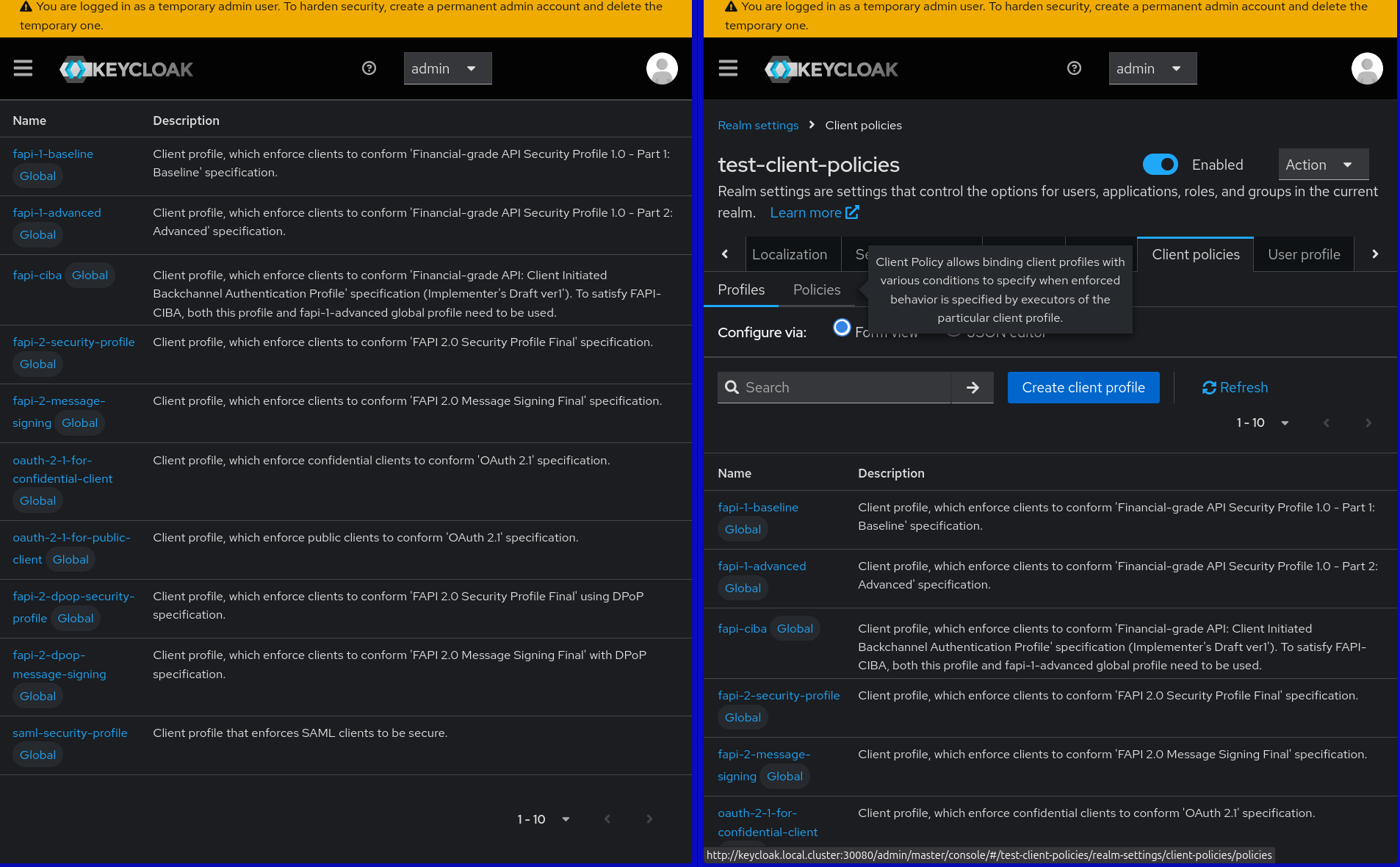
Client profiles and policies explicitly removed
Understanding the Bug
The Problem (Pre-Fix Behavior)
In keycloak-config-cli versions before v6.5.1, importing any configuration file that didn't contain clientProfiles or clientPolicies sections would cause existing client profiles and policies to be erased from the realm.
How the bug manifested: 1. User imports a configuration file containing client profiles and policies 2. User imports a second configuration file (even unrelated or empty) that doesn't mention client policies 3. Result: All existing client profiles and policies are deleted
Why this was problematic: - Splitting realm configuration across multiple files became risky - Users couldn't safely update parts of their realm without losing client policies - The behavior was counterintuitive - absence of configuration shouldn't mean deletion - Multi-file import workflows became unreliable
Example scenario that would trigger the bug: File 1: client-policies.json
{
  "realm": "my-realm",
  "clientProfiles": { "profiles": [...] },
  "clientPolicies": { "policies": [...] }
}
File 2: update-clients.json with No clientProfiles/clientPolicies sections
Bug result: After importing File 2, client profiles and policies would be deleted.
This behavior was fixed in v6.5.1 to preserve existing client profiles and policies when not explicitly mentioned in import files.
Best Practices
1. Separate Client Policies Configuration
Keep client profiles and policies in dedicated files:
config/
├── 00_base_realm.json
├── 01_client_policies.json
├── 02_clients.json
├── 03_users.json
└── 04_roles.json
2. Import Order
Import client policies early in the process:
# Import base realm first
java -jar keycloak-config-cli.jar \
  --keycloak.url=http://localhost:8080 \
  --keycloak.user=admin \
  --keycloak.password=admin \
  --import.files.locations=00_base_realm.json

# Then client policies
java -jar keycloak-config-cli.jar \
  --keycloak.url=http://localhost:8080 \
  --keycloak.user=admin \
  --keycloak.password=admin \
  --import.files.locations=01_client_policies.json

# Then other configurations
java -jar keycloak-config-cli.jar \
  --keycloak.url=http://localhost:8080 \
  --keycloak.user=admin \
  --keycloak.password=admin \
  --import.files.locations=02_clients.json
3. Version Compatibility
Client policies are only available in Keycloak 24.0.0 and later. Ensure your Keycloak version supports this feature.
Migration Guide
From v6.3.0 to v6.5.1+
No changes needed for existing configurations. The fix is backward compatible and improves behavior without breaking existing functionality.
From Multi-File to Single-File
If you were forced to use single-file configurations due to this issue:
- Split your configuration into logical files
- Test the import sequence in development
- Deploy with confidence that client policies will be preserved