Composite Realm Roles Configuration
When managing composite roles in Keycloak, they allow a role to contain other realm or client-level roles. A common requirement is dynamically adding and removing roles from a composition.
Keycloak-config-cli synchronizes composite role configurations with Keycloak. However, in older versions, removing all realm-level roles from a composite role did not clear them in the target Keycloak instance.
Related issue: #1300 • Related PR: #1366
The Problem
Previously, the configuration import service did not clear existing realm-level composite roles if the configuration was modified to remove all realm roles from a composite role.
This happened because:
- The configuration parser skipped updating the composite roles mapping when the composites.realm field was either empty or omitted entirely from the configuration file.
- The RealmRoleCompositeImportService checked for the presence of the realm field using Optional.ofNullable(...).ifPresent(...). When the field was null, no update operation was performed, leaving the stale role assignments intact on the Keycloak server.
The Solution
Starting with keycloak-config-cli v6.4.1 (PR #1366):
- RealmRoleCompositeImportService has been updated to handle missing or null composite list definitions.
- If composites or the composites.realm list is omitted or set to null in your configuration, keycloak-config-cli defaults to an empty set (Set.of()).
- The update operation is then triggered with the empty set, successfully clearing the composite role mappings in Keycloak to align with your local configuration files.
Usage Scenarios
Below is a step-by-step example showing how to configure, update, and clear composite realm roles.
Step 1: Creating a Composite Realm Role
To create a composite realm role containing other realm roles and client roles, structure your configuration file as follows:
realm: "realmwithcompositeroles"
enabled: true
roles:
  realm:
    - name: "my_realm_role"
      description: "Standard realm role"
    - name: "my_other_realm_role"
      description: "Another standard realm role"
    - name: "my_composite_realm_role"
      description: "My composite realm role"
      composite: true
      composites:
        realm:
          - "my_realm_role"
          - "my_other_realm_role"
        client:
          moped-client:
            - "my_client_role"
  client:
    moped-client:
      - name: "my_client_role"
        description: "My client-specific role"

clients:
  - clientId: "moped-client"
    enabled: true
Result in Keycloak
my_composite_realm_roleis created.- It is marked as a composite role.
- It has two realm roles (
my_realm_roleandmy_other_realm_role) and one client role (my_client_rolefrom clientmoped-client) associated.
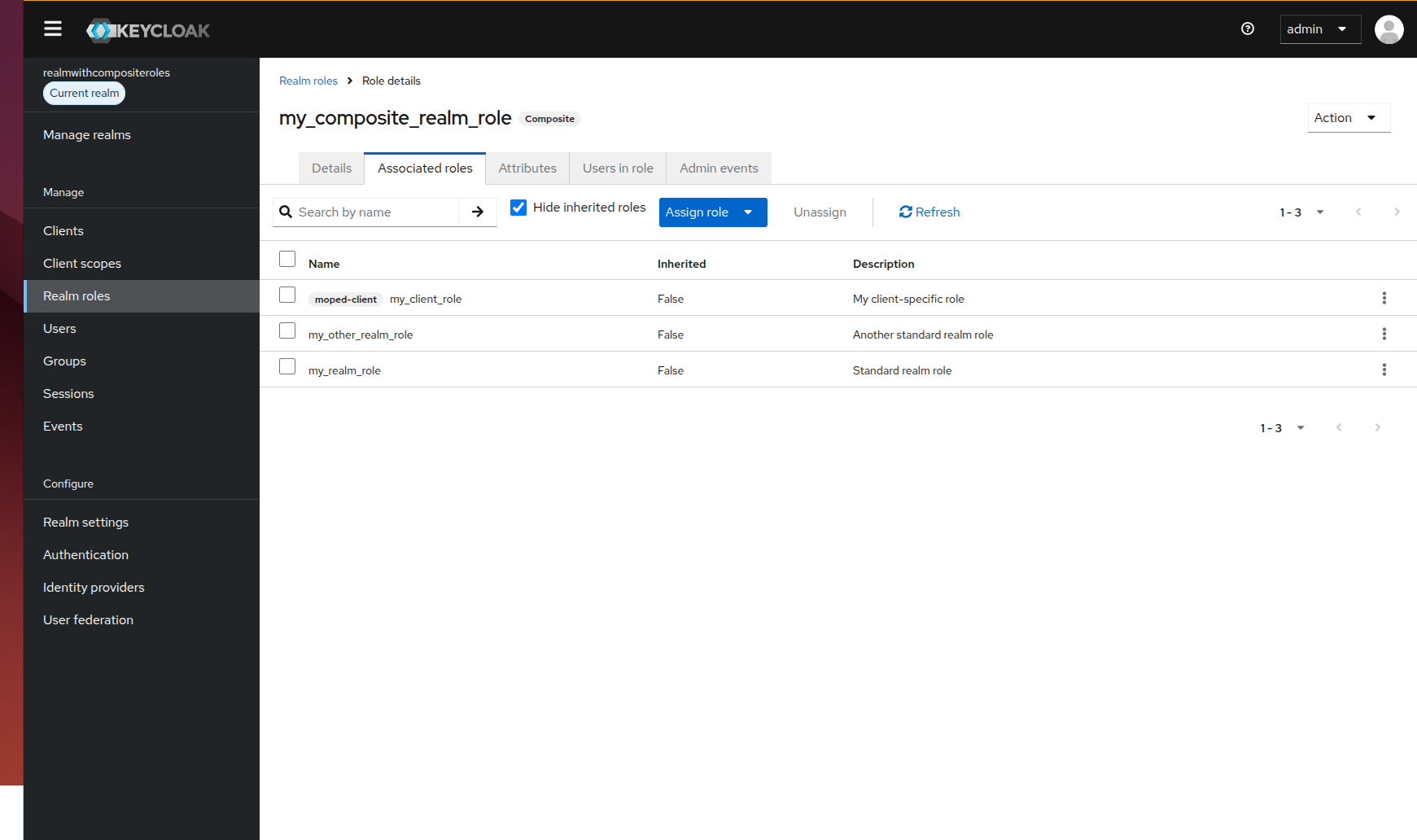 (Screenshot Placeholder: Show the Keycloak Admin Console page for 'my_composite_realm_role' under Realm Roles, verifying that both realm roles and the client role are assigned as associated roles.)
Step 2: Removing a Single Role from Composition
If you want to remove one of the realm roles (e.g. my_other_realm_role) but keep my_realm_role, update the composites.realm list to only include the remaining role:
realm: "realmwithcompositeroles"
enabled: true
roles:
  realm:
    - name: "my_realm_role"
    - name: "my_other_realm_role"
    - name: "my_composite_realm_role"
      composite: true
      composites:
        realm:
          - "my_realm_role"
        client:
          moped-client:
            - "my_client_role"
Result in Keycloak
my_composite_realm_roleno longer containsmy_other_realm_role.my_realm_roleand the client rolemy_client_roleremain associated.
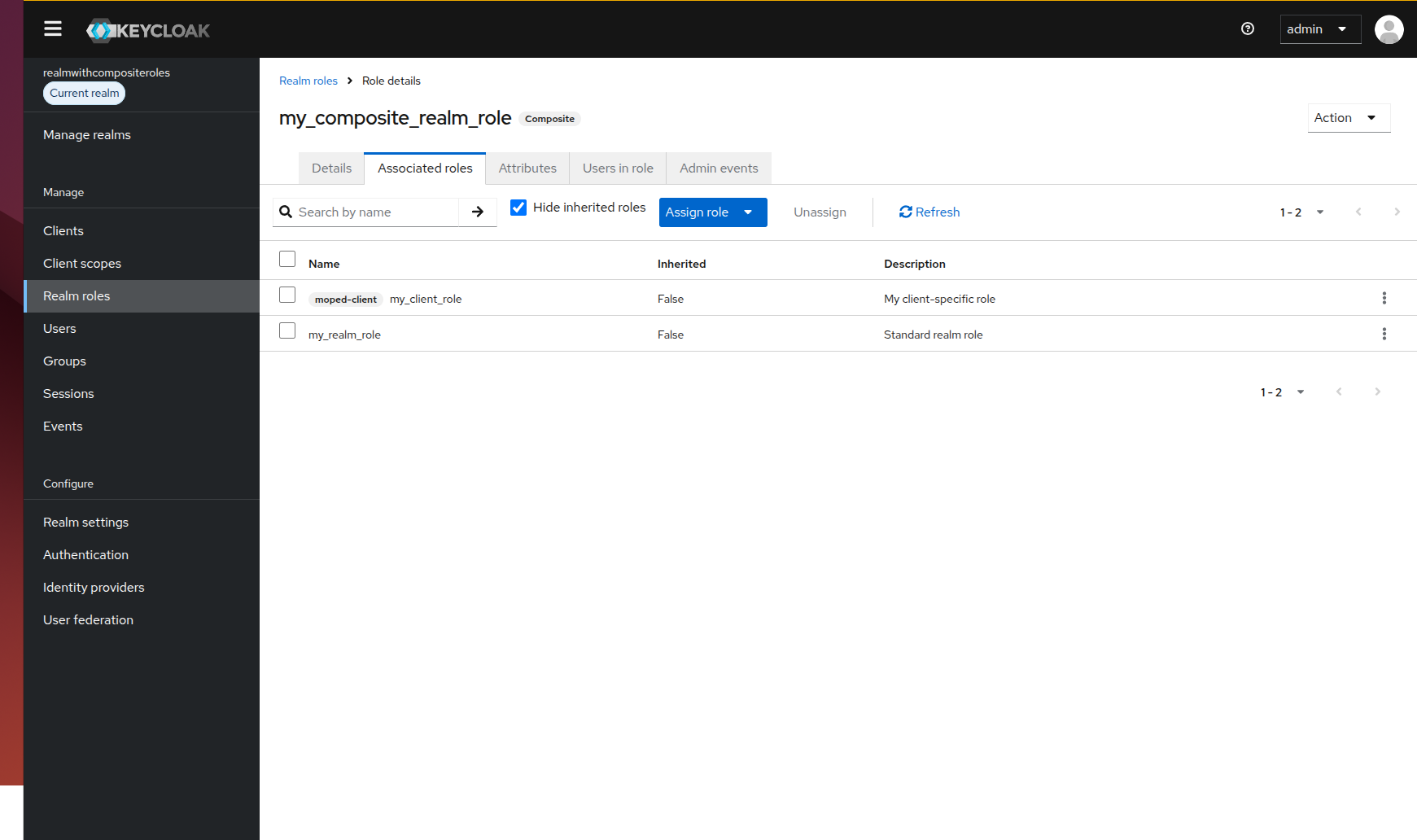 (Screenshot Placeholder: Show the Keycloak Admin Console role detail page showing only 'my_realm_role' and the client role remaining under Associated Roles.)
Step 3: Clearing All Realm Roles from Composition
To clear all realm-level roles from the composite role while leaving client-level composite roles intact, update your configuration by removing or omitting the realm key inside composites:
realm: "realmwithcompositeroles"
enabled: true
roles:
  realm:
    - name: "my_realm_role"
    - name: "my_other_realm_role"
    - name: "my_composite_realm_role"
      composite: true
      composites:
        client:
          moped-client:
            - "my_client_role"
Result in Keycloak
- Stale realm roles (
my_realm_role) are removed from the composite. - The client role association is preserved.
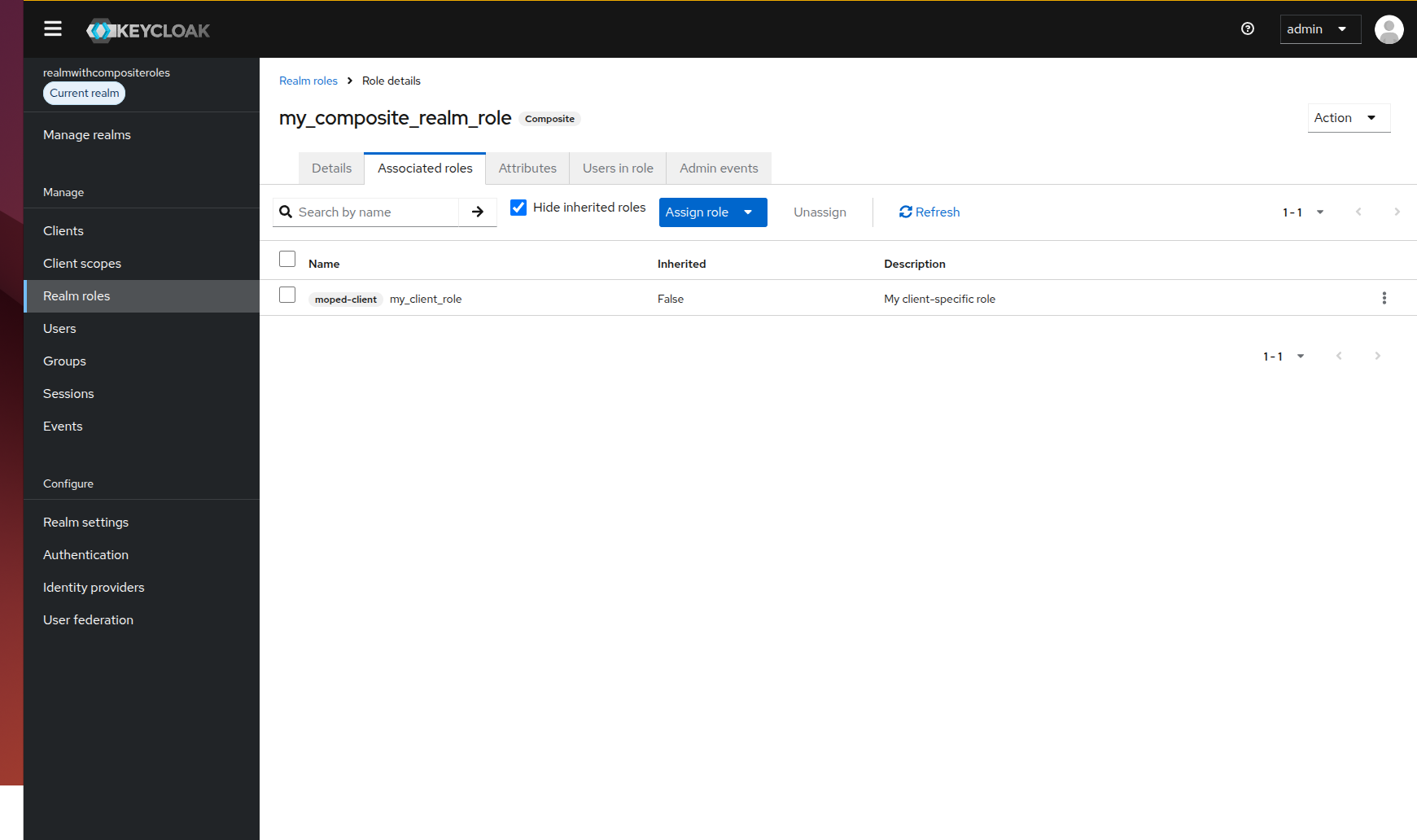 (Screenshot Placeholder: Show the Keycloak Admin Console detail page showing no associated realm roles, while 'my_client_role' is still active.)
Best Practices
- Explicit Empty Configuration: If you want to clarify that a composite role shouldn't contain any realm roles, omitting the key entirely or updating to empty configuration is fully supported.
- Review Changes with Dry Run: Always run keycloak-config-cli in dry-run mode (
--dry-runor settingremote-state.enabled) to audit how composite role changes are calculated before applying them to a production system. - Validate Role Dependency Ordering: Ensure the referenced roles (both realm and client roles) are defined in the configuration before or within the same import block so Keycloak can locate them during association.